Appearance
Switch Component
A toggle switch component that visually represents a boolean on/off state. Similar to a checkbox but with a modern sliding-knob design, customizable background color, and disabled state support.
Table of Contents
Import
ts
import { Switch } from "dolphin-components";
import type { SwitchProps } from "dolphin-components";
Basic Usage
vue
<template>
  <Switch v-model="isEnabled" />
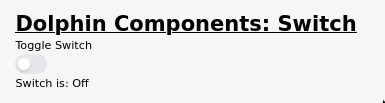
  <p>Switch is: {{ isEnabled ? "On" : "Off" }}</p>
</template>

<script setup>
import { ref } from "vue";
import { Switch } from "dolphin-components";

const isEnabled = ref(false);
</script>
Props
| Prop | Type | Default | Description |
|---|---|---|---|
modelValue | boolean | false | The current state of the switch (on/off). Supports v-model. |
background | string | "bg-[#1C64F2]" | Tailwind background class applied when the switch is on. |
disable | boolean | false | If true, the switch is disabled and cannot be toggled. |
Events
| Event | Payload | Description |
|---|---|---|
update:modelValue | boolean | Emitted when the switch is toggled. Supports v-model. |
TypeScript Interfaces
typescript
interface SwitchProps {
  modelValue: boolean;
  background?: string;
  disable?: boolean;
}
Usage Examples
Custom Background Color
vue
<template>
  <div class="flex items-center gap-4">
    <Switch v-model="darkMode" background="bg-green-500" />
    <span>Dark Mode: {{ darkMode ? "On" : "Off" }}</span>
  </div>
</template>

<script setup>
import { ref } from "vue";
import { Switch } from "dolphin-components";

const darkMode = ref(false);
</script>
Disabled State
vue
<template>
  <Switch v-model="locked" :disable="true" />
  <p class="text-sm text-gray-500">This switch is locked.</p>
</template>

<script setup>
import { ref } from "vue";
import { Switch } from "dolphin-components";

const locked = ref(true);
</script>
Form Integration
vue
<template>
  <form @submit.prevent="saveSettings">
    <div class="flex items-center justify-between py-2 border-b">
      <label>Email Notifications</label>
      <Switch v-model="settings.emailNotifications" />
    </div>

    <div class="flex items-center justify-between py-2 border-b">
      <label>Push Notifications</label>
      <Switch v-model="settings.pushNotifications" />
    </div>

    <div class="flex items-center justify-between py-2 border-b">
      <label>Auto-save</label>
      <Switch v-model="settings.autoSave" background="bg-emerald-500" />
    </div>

    <button type="submit" class="btn btn-primary mt-4">Save</button>
  </form>
</template>

<script setup>
import { reactive } from "vue";
import { Switch } from "dolphin-components";

const settings = reactive({
  emailNotifications: true,
  pushNotifications: false,
  autoSave: true,
});

const saveSettings = () => {
  console.log("Settings:", settings);
};
</script>
With TypeScript
vue
<script setup lang="ts">
import { ref } from "vue";
import { Switch, type SwitchProps } from "dolphin-components";

const isActive = ref<boolean>(false);
</script>

<template>
  <Switch v-model="isActive" background="bg-indigo-500" />
</template>
Screenshot
Best Practices
- Always bind with
v-model— Use a reactiveref<boolean>for two-way binding. - Use semantic background colors — Green for success/enable actions, red for danger/disable, blue for neutral toggles.
- Add visible labels — Always place a descriptive label next to the switch so users understand what they are toggling.
- Use
disablefor read-only states — When the user shouldn't be able to change the value (e.g., permissions, locked settings).
Troubleshooting
Switch does not toggle when clicked
- Ensure
v-modelis bound to arefvariable, not a plain value. - Ensure
disableis not set totrue.
Background color not changing
- The
backgroundprop expects a Tailwind CSS class (e.g.,"bg-green-500"), not a CSS color value. - Make sure the Tailwind class is available in your project's CSS.