Appearance
Wizard Component
A clickable stepper component for visualizing and navigating multi-step workflows such as forms, setup wizards, and checkout flows. Renders step circles with connecting progress bars, optional labels, and active/completed/inactive visual states.
Table of Contents
Import
ts
import { Wizard } from "dolphin-components";
import type { WizardProps } from "dolphin-components";
Basic Usage
vue
<template>
  <Wizard
    :totalSteps="4"
    :currentStep="step"
    @step-change="step = $event"
  />

  <div class="mt-4 flex gap-2">
    <button @click="step--" :disabled="step <= 1" class="btn btn-outline-secondary">Previous</button>
    <button @click="step++" :disabled="step >= 4" class="btn btn-primary">Next</button>
  </div>
</template>

<script setup>
import { ref } from "vue";
import { Wizard } from "dolphin-components";

const step = ref(1);
</script>
Props
| Prop | Type | Default | Description |
|---|---|---|---|
totalSteps | number | 4 | Total number of steps to render. |
currentStep | number | 1 | The currently active step (1-based index). |
className | string | "" | Custom CSS classes for the stepper container. |
stepLabels | string[] | null | null | Optional labels displayed below each step circle. |
onStepChange | ((step: number) => void) | null | null | Optional callback invoked when a step circle is clicked. |
Events
| Event | Payload | Description |
|---|---|---|
step-change | number | Emitted when a step circle is clicked. Passes the step number. |
Slots
This component does not provide any slots.
TypeScript Interfaces
typescript
interface WizardProps {
  totalSteps?: number;
  currentStep?: number;
  className?: string;
  stepLabels?: string[] | null;
  onStepChange?: ((step: number) => void) | null;
}
Usage Examples
With Step Labels
vue
<template>
  <div class="max-w-[900px] mx-auto mt-8">
    <Wizard
      :totalSteps="5"
      :currentStep="currentStep"
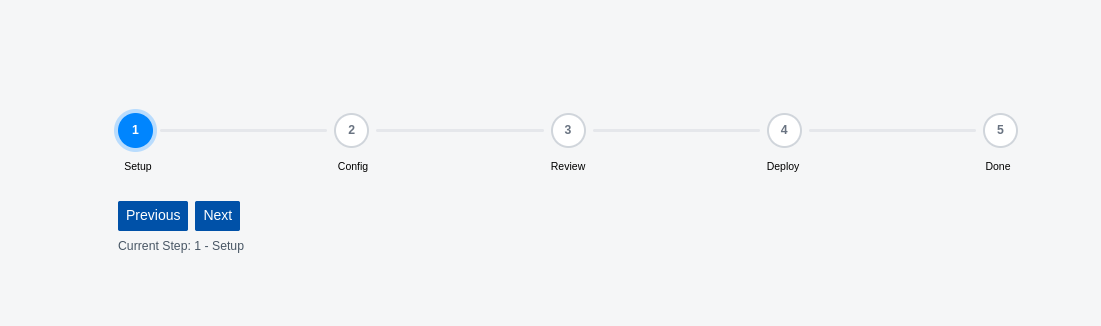
      :stepLabels="['Setup', 'Config', 'Review', 'Deploy', 'Done']"
      @step-change="handleStepChange"
    />

    <div class="mt-4 flex gap-2">
      <button @click="currentStep--" :disabled="currentStep <= 1" class="btn btn-outline-secondary">
        Previous
      </button>
      <button @click="currentStep++" :disabled="currentStep >= 5" class="btn btn-primary">
        Next
      </button>
    </div>

    <p class="mt-2 text-sm text-gray-600">
      Step {{ currentStep }}: {{ ['Setup', 'Config', 'Review', 'Deploy', 'Done'][currentStep - 1] }}
    </p>
  </div>
</template>

<script setup lang="ts">
import { ref } from "vue";
import { Wizard } from "dolphin-components";

const currentStep = ref(1);

const handleStepChange = (step: number) => {
  currentStep.value = step;
};
</script>
Without Labels (Numbered Steps Only)
vue
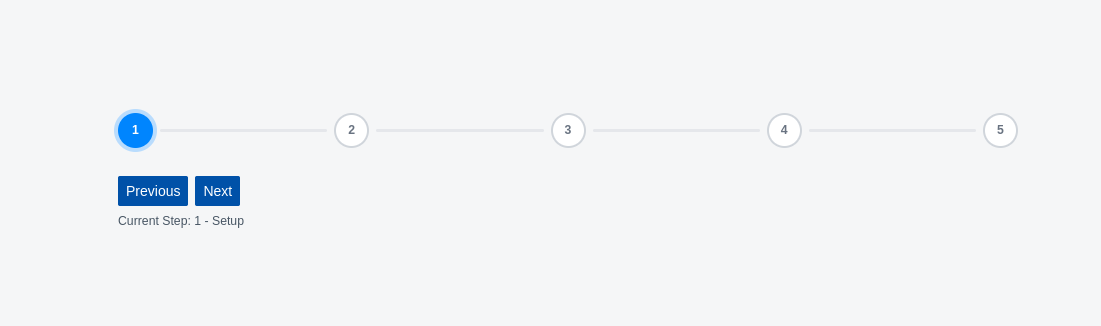
<Wizard :totalSteps="3" :currentStep="step" @step-change="step = $event" />With Custom Container Styling
vue
<Wizard
  :totalSteps="4"
  :currentStep="2"
  className="bg-gray-50 p-6 rounded-lg"
  :stepLabels="['Info', 'Address', 'Payment', 'Confirm']"
/>
Integration with Form Sections
vue
<template>
  <Wizard
    :totalSteps="3"
    :currentStep="step"
    :stepLabels="['Personal', 'Address', 'Review']"
    @step-change="step = $event"
  />

  <div v-if="step === 1" class="mt-6">
    <h3>Personal Information</h3>
    <input class="input-text" v-model="form.name" placeholder="Full Name" />
    <input class="input-text mt-3" v-model="form.email" placeholder="Email" />
  </div>

  <div v-if="step === 2" class="mt-6">
    <h3>Address</h3>
    <input class="input-text" v-model="form.address" placeholder="Street Address" />
    <input class="input-text mt-3" v-model="form.city" placeholder="City" />
  </div>

  <div v-if="step === 3" class="mt-6">
    <h3>Review</h3>
    <p>Name: {{ form.name }}</p>
    <p>Email: {{ form.email }}</p>
    <p>Address: {{ form.address }}, {{ form.city }}</p>
  </div>
</template>

<script setup>
import { ref, reactive } from "vue";
import { Wizard } from "dolphin-components";

const step = ref(1);
const form = reactive({ name: "", email: "", address: "", city: "" });
</script>
Screenshots
- With Labels:
- Without Labels:
Visual States
Each step circle has one of three visual states:
| State | Appearance |
|---|---|
| Completed | Filled background with a checkmark or step number |
| Current | Active highlight with ring/shadow effect |
| Inactive | Gray/muted appearance for future steps |
The connecting progress bars fill proportionally based on the current step's position.
Best Practices
- Use step labels for clarity — Labels help users understand each step's purpose at a glance.
- Keep steps to 3–7 — Too many steps may overwhelm users. Consider grouping related steps.
- Allow backward navigation — Let users click completed steps to go back and edit.
- Show step content conditionally — Use
v-ifwith the step number to show the appropriate form section.
Troubleshooting
Steps not clickable
- Ensure the
@step-changeevent is handled to update thecurrentStepvalue. - Without an event handler, clicking steps has no visible effect.
Labels misaligned
- Ensure the
stepLabelsarray length matchestotalSteps. - If fewer labels are provided, extra steps will have no label.